
Large-scale
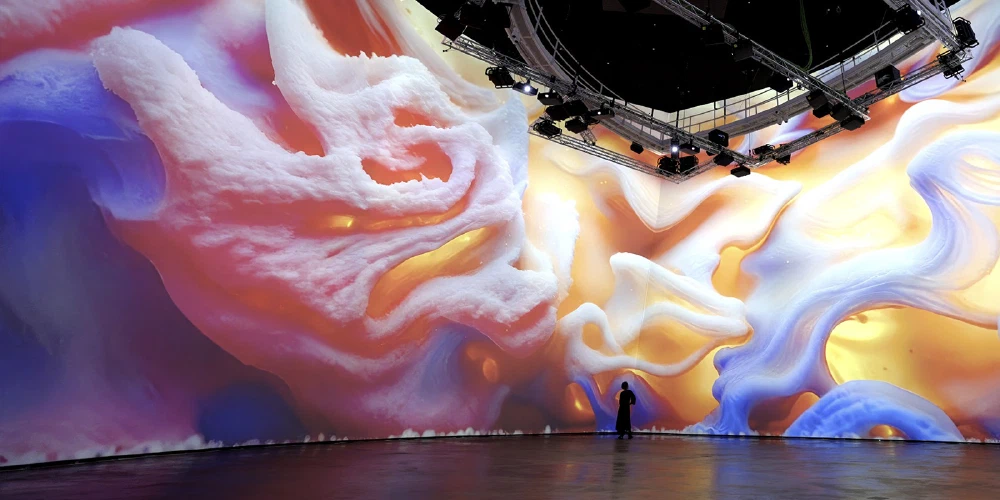
vvvv is built to run large-scale interactive spaces. No matter the number of PCs involved, it is your single entry-point to build and run distributed systems.
Distributed Rendering
When a single PC is not enough to render the number of outputs you need, simply scale your app across multiple PCs. An upcomming feature called “Boygrouping” keeps all your render machines n’sync. Any change to the program on the main PC is immediately replicated on all connected clients. Combined with vvvv’s live programming approach this gets rid of most of the overhead that comes with creating distributed applications.
Projection Mapping
Large-scale often means projection-mapping. Since requirements here are rather diverse, vvvv comes with support for different options:
The following projector auto-calibration systems are integrated:
- If you need any other existing system integrated, don’t hesitate to get in touch.
Alternatively vvvv also ships with tooling that helps you build custom projection mapping workflows. See the Projection Mapping section in the packs browser for all options.
LED Walls
When a single PC is not enough to drive a LED wall and perfect frame sync is needed across multiple PCs, vvvv supports the use of NVIDIA Quadro Sync cards to seamlessly drive large LED screens.
Lasers & Lighting
Apart from outputting to screens or projectors, vvvv allows you to create laser and light shows that go beyond playing back predefined animations. Realtime control for both technologies is available via a range of packs you can find in the following categories:

Interactive
Interactivity is a wide topic and often involves external systems, sensors or protocols. vvvv brings them all together and connects them to realtime output.

Crowd Tracking
For capturing interaction with crowds, vvvv supports the following tracking systems which give you positional data (and more) per visitor in large spaces:
Further, a range of depth sensors and lidars is supported that allow you to create custom solutions, see the Devices section in the packs browser for all options.
Motion Capture
Full-body, professional skeletal motion capture is supported via:
Further, a range of lower-cost options are available, see the Motion Capture section of the packs browser.
Multi Touch
Be it for tabletop solutions, walls or floors using Lidars, vvvv has all it takes to build touch solutions at any scale:
- TUIO - The standard protocol for talking to tangible multi touch surfaces
- TrackObjects - To follow and identify objects over time and assigns them a stable and unique ID
- Rive integration including bi-directional data-binding
- CEF for rendering web content

Media Server
When off-the-shelf media servers don’t suite your needs, create your own with vvvv. All the components typically needed (video, audio, realtime graphics, lights, lasers) are there for you to customize and tailor to your specific use case. Combine with your own idea of a UI and finally export your media server as a windows app for easy deployment.

Audio, Video, Lights and Lasers
- Image sequence playback (.dds files for best performance/quality)
- Video playback based on Microsoft Media Foundation
- Projection Mapping support via multiple thirdparty integrations
- Shader based image effects (TextureFX)
- Multichannel audio engine with VST3 audio plugin integration
- Support for protocols to control stage lights
- Support for Lasers plus a set of nodes to generate paths with blanking
Realtime Graphics
- Stride based 3d/VR rendering engine
- Skia based 2d rendering engine
- Rive integration including bi-directional data-binding
- CEF for rendering web content
Integrations
When it comes to running content of other engines or media servers through vvvv or the other way round, running vvvv content through other media servers or engines, there are not limits. It always comes down to parameter and texture sharing (think Spout) and can be realized in many ways. If you need a hand with this, we’d be happy to help, please get in touch.
Plugin Architecture
When building a large modular media server, at some point you’ll want it to support a custom idea of plugins. Check out this demo app with plugins to learn how to set this up.
User Interfaces
- Dear ImGui for building custom bi-directional UIs
- Various other solutions

Rapid Prototyping
vvvv is made for rapid prototyping. A quick setup, effortless iteration, limitless connectivity and simple deployment are key to building any realtime media application.





Quick Setup
Getting vvvv up and running takes less than 2 minutes. The download is minimal, there is no signup or registration procedure and no copy-protection that would prevent you from installing vvvv on as many devices you need. Within 2 minutes you have access to the full possibilities of vvvv without any artificial limitations.
Effortless iteration
vvvv has one mode: Runtime. Any change you make is immediately applied, no need to restart or wait for a compilation.
Data running through your app can be explored and manipulated at any stage which is essential to debugging and tweaking applications that work with live user input.
Limitless Connectivity
vvvv can talk to a wide range of protocols and devices using individual packs. These can be installed at the click of a button using the built-in package manager.
For a listing of what’s available, check out these sections in the online packs browser:
Simple deployment
Deploying an app created with vvvv takes a single click, which exports a windows application. There is no need to deploy vvvv itself, simply share the export with anyone and they can see/test your app. For more, see Deployment.

Visual Live-Programming
vvvv is a visual-first and fully live-programming environment. While it is possible to develop parts of your applications also using traditional text coding, this is mostly a preference but hardly ever a necessity.
One mode: Runtime
No matter if you “patch” visually or you write parts of your code in C#, any change you make is live. Compilation is happening in the background and you don’t have to wait for your program to restart, think: State Hot-Reload. This allows for rapid prototyping and is extremely benefitial for creating and debugging realtime interactive applications.
The Visual Language
VL is what we call the visual language in vvvv. Its main features are:
- Code regions like loops and conditionals