

CSS (Cascading Style Sheets) is a styling language used to control the presentation of documents written in HTML, XML, and similar markup languages. It defines how elements appear on screen or in other media, enhancing the overall look and user experience of a webpage.
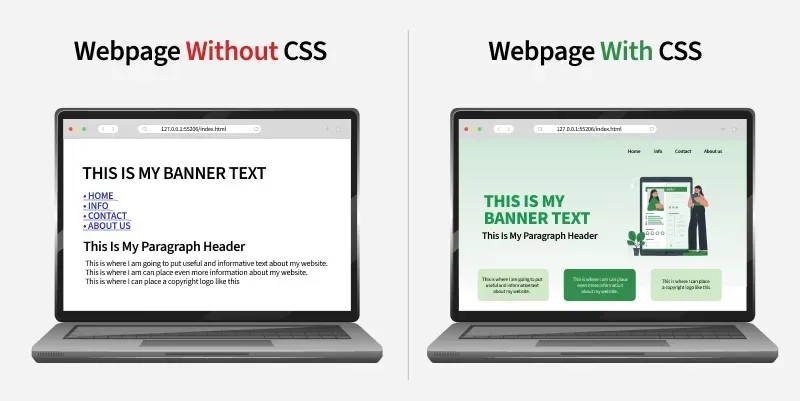
- Allows developers to style and layout web pages with colors, fonts, spacing, and positioning.
- Separates content from design, making webpages easier to maintain and more visually consistent.
CSS Basics
Cascading Style Sheet(CSS) is used to set the style in web pages that contain HTML elements, here we will see in how many ways we can add CSS for our HTML, there three different ways to do so one by one we will see those procedure.
External CSS: External CSS contains a separate CSS file with a .css extension which contains only style property with the help of tag attributes.
selector{
    property1: value1;
    property2: value2;
}
Include external CSS file: The external CSS file is linked to the HTML document using a link tag.
<link rel="stylesheet" type="text/css" href="/style.css" />Internal CSS or Embedded: Internal CSS is embedded within the HTML file using a style HTML tag.
<style type="text/css">
div { color: #444;}
</style>
Inline CSS: The inline CSS contains CSS properties in the body section specified within HTML tags.
<tag style="property: value"> </tag>Clearfix: It clears floats to select or control margins and padding.
.clearfix::after {
    content: "";
    clear: both;
    display: block;
}
Selectors
CSS selectors are used to find or select the HTML elements you want to style.

These are categorized as follows:
- Universal Selector: Applies a common style to every element on a page when Universal Selector targets all elements.
- Type Selector: Styles all elements of a specific HTML tag because Type Selector matches by element type.
- ID Selector: Targets a single unique element since ID Selector matches an element with a specific id.
- Class Selector: Styles multiple elements with shared design as Class Selector selects elements using a common class.
- Attribute Selector: Enables precise styling because Attribute Selector matches elements based on attribute presence or value.
- Combinator Selectors: Create advanced element targeting since Combinator Selectors define relationships like parent–child or sibling.
- Pseudo Selectors: Allow dynamic styling as Pseudo Selectors apply styles based on element states or conditions like hover or first-child.
<!DOCTYPE html>
<html>
<head>
   <title>* Selectors</title>
   <!-- CSS Selectors are in used -->
   <style>
      /* universal selector */
      * {
          background-color: hsl(325, 63%, 82%);
          text-align: center;
      }
      /* type selector */
      span {
          background-color: skyblue;
      }
      /* id selector */
      #div1 {
          color: green;
          text-align: center;
          font-size: 20px;
          font-weight: bold;
      }
      /* class selector */
      .div2 {
          color: orange;
          text-align: left;
          font-size: 10px;
          font-weight: bold;
      }
      /* attribute selector */
      div[style] {
          text-align: center;
          color: